BEFORE
Get ready.
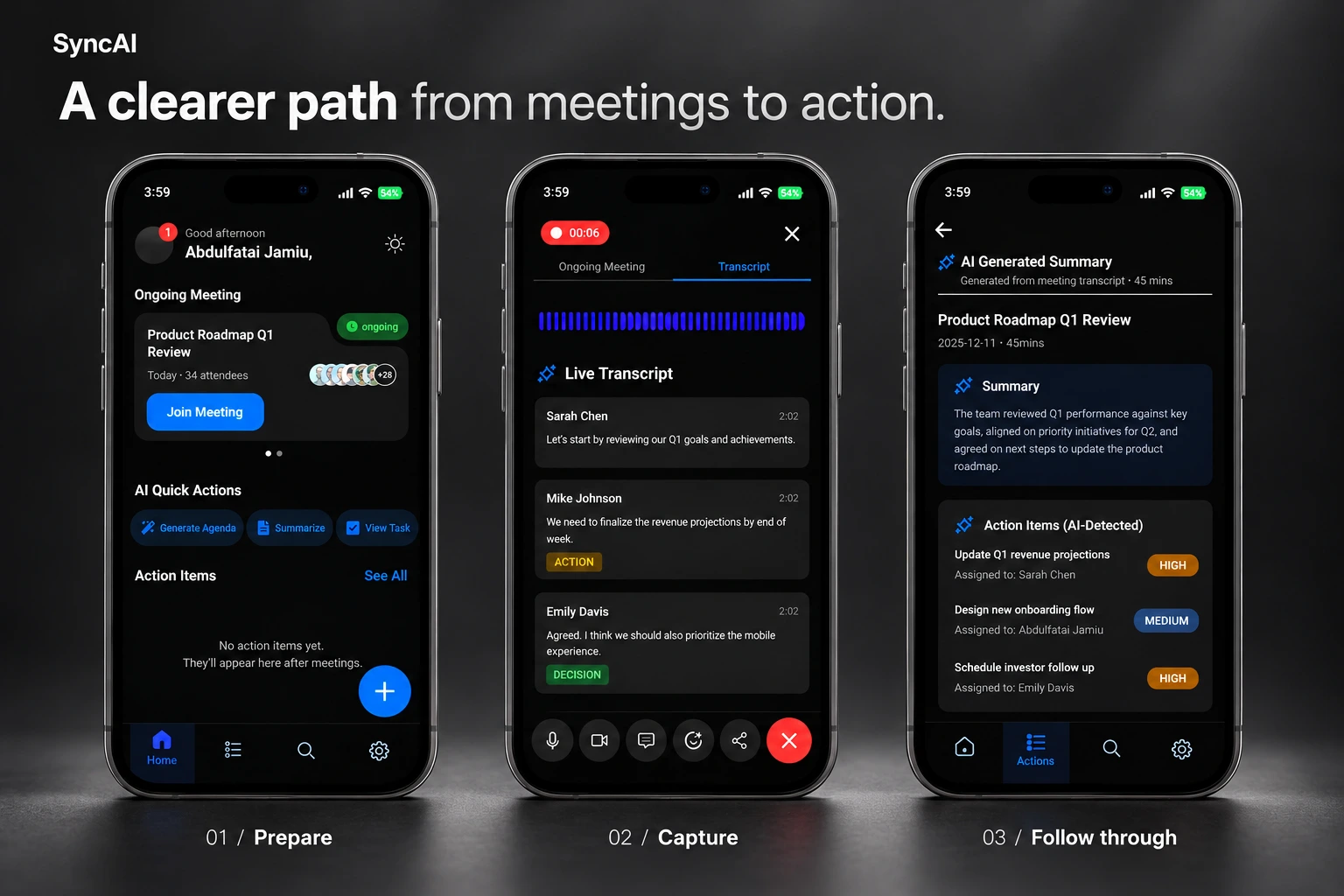
I brought the meeting details, attendees and agenda into one place, with an option to explore an AI-generated draft.
Where meeting conversations become clear decisions and accountable follow-up.
PROJECT
SECTOR
MY CONTRIBUTION
MOBILE PRODUCT DESIGN · BAYZAT DESIGN CHALLENGE
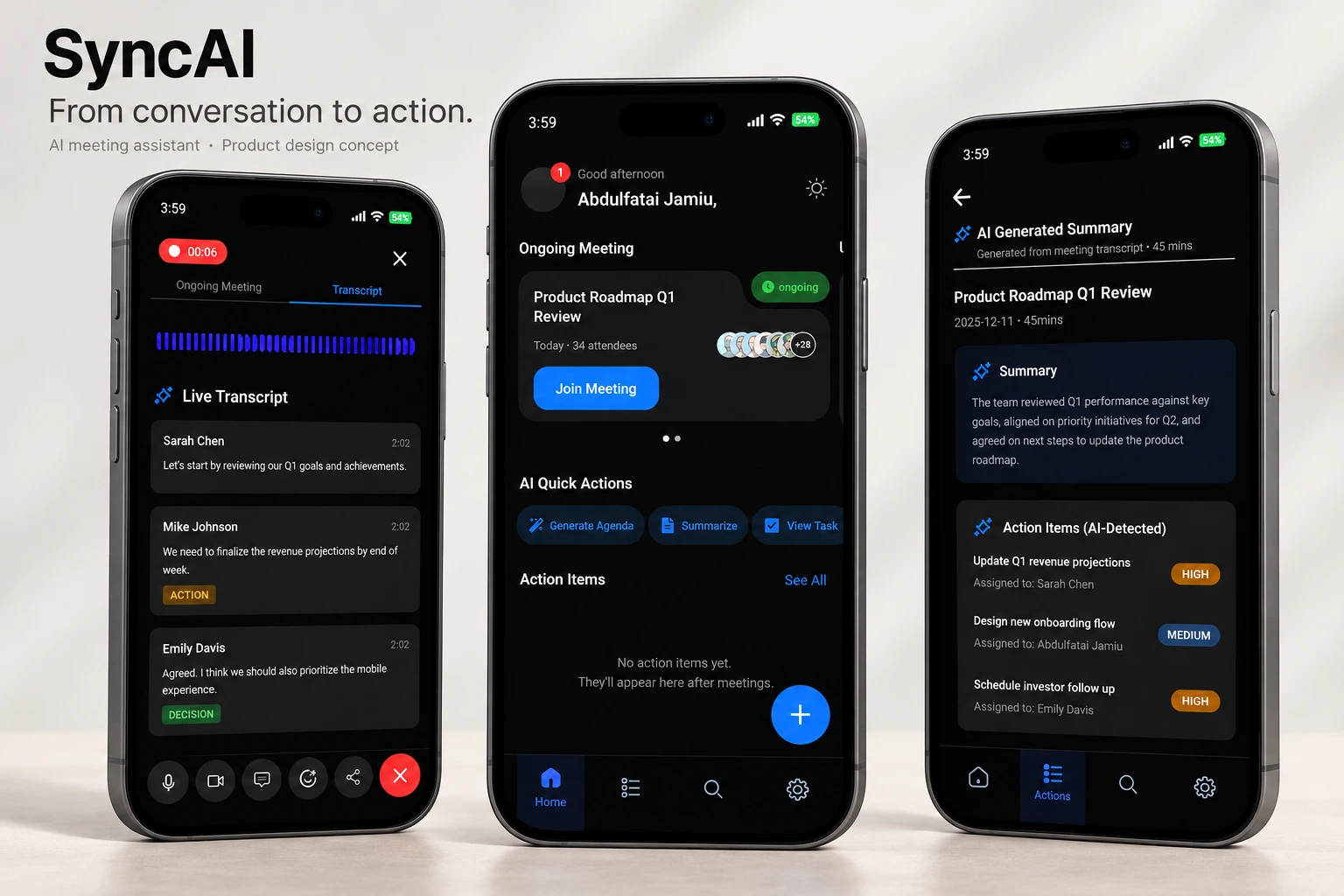
I wanted the end of a meeting to feel clearer: what did we agree on, who is doing it and what happens next? SyncAI is my mobile concept for bringing those pieces together.
A useful conversation can still leave the next steps unclear. I designed SyncAI for workplace teams who need to prepare a meeting, follow the discussion and pick up the work afterwards.
For this Bayzat design challenge, I worked on the mobile UX, UI, reusable components and prototype, with light and dark versions. It is a design concept: the AI outputs, calls and integrations are proposed, and I haven’t run participant usability tests.
BEFORE
I brought the meeting details, attendees and agenda into one place, with an option to explore an AI-generated draft.
DURING
The transcript shows who said what, with separate labels for actions and decisions.
AFTER
The summary brings context and proposed tasks together. Mine, Team and Completed views make the follow-up easier to navigate.
 Light screens · Open preview
 Dark screens · Open preview
I put ongoing meetings and quick actions near the top of the home screen, so someone can get moving without searching through their history.
A decision is something the team agreed on. An action is work someone needs to do. I used text labels alongside colour to keep that difference clear.
I separated the summary from the task list, giving proposed owners and priorities their own space. People catching up and people following up need different things.
The part I would focus on next is trust. I want someone to open the transcript behind a suggested task, correct its owner or deadline and confirm it before sharing.
I also need to finish meeting creation and summary sharing, and make recording consent clear. I would test one complete journey: find a decision, spot an incorrect assignment and leave with a confirmed next step.